Skip to content
EA
MT5 Expert Advisor VIP Risk Management

Ultimate Breakout System MT5

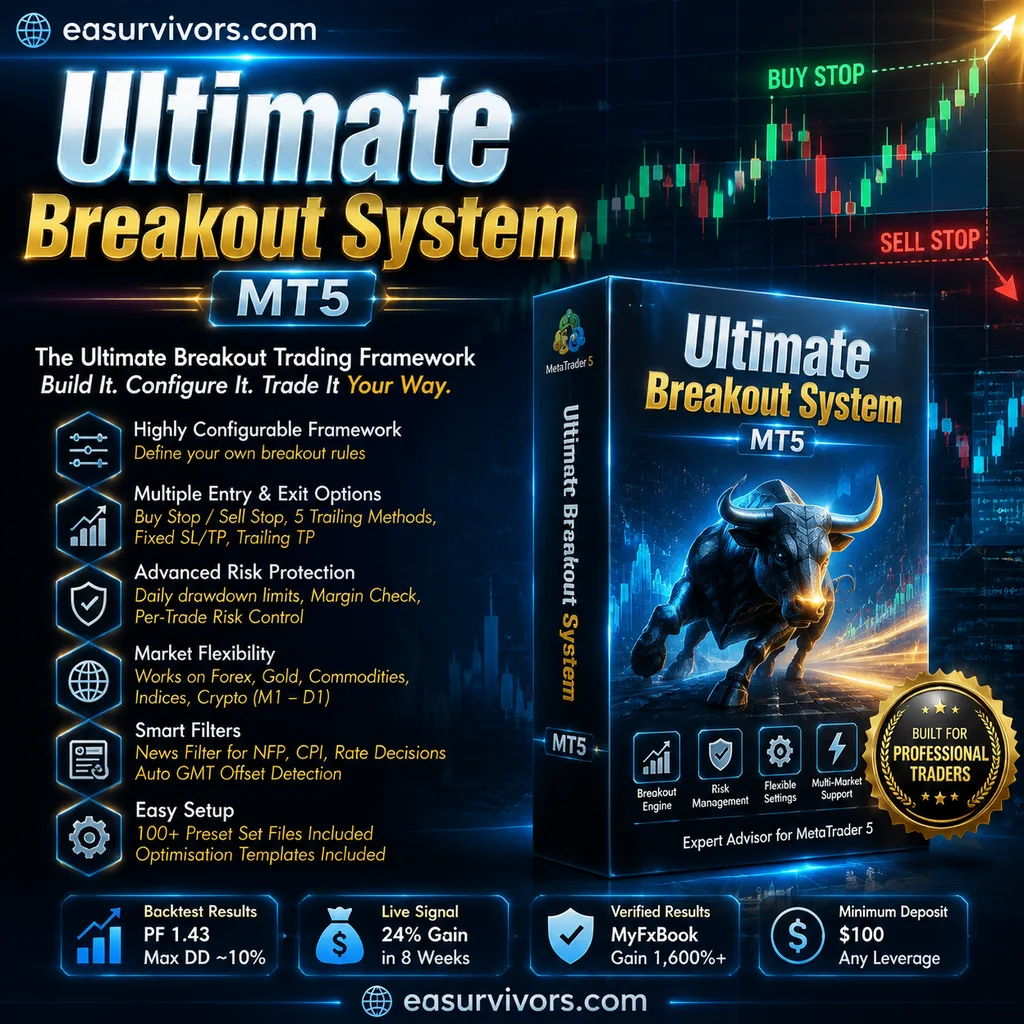
A breakout framework for MetaTrader 5 that lets traders build and test custom pending-order strategies across gold, forex, commodities, indices and crypto. It includes over 100 set files, configurable exit methods and risk controls, and supports timeframes from M1 to D1. The vendor reports strong backtest and signal results, but results depend heavily on configuration.

Losses on this strategy have no upper bound

The vendor's own description mentions position-scaling logic that keeps a losing sequence open instead of closing it. A single losing sequence therefore has no defined worst case: a long enough move in one direction takes the account to zero. Systems like this can trade profitably for a long time before that happens, which is why an unbroken track record does not settle the question.

Mechanisms found Martingale

How we classify loss mechanisms

Ultimate Breakout System MT5
Instruments
XAUUSD (Gold), Forex, Commodities, Indices or Cryptocurrencies.
Timeframe
M1 to D1
Minimum deposit
$100
Version
6.0

Backtest results

Simulation — not a live account

Run in the MetaTrader Strategy Tester on real tick data. These are simulated results: a backtest shows how a strategy would have behaved on past prices, not how it will behave on your account.

Period Return Max drawdown Trades Win rate Profit factor
2025 May–Oct 5 months -1.2% −63.0% 884 43.2% 1.00
Equity curve — 2025 May–Oct Started at $10,000, ended at $9,883. Deepest drawdown −63.0%. Account balance Drawdown from peak 2025-05-01 → 2025-10-01
$9,883 $19,117 -62.8% 2025-05-01 2025-09-30

Where the money went

MetaTrader reports gross profit and gross loss with broker charges already applied. Vendor pages quote the gross profit figure on its own.

Gross profit
$100,237.46
Gross loss
−$100,354.63
Net profit
−$117.17

Already included above: $1,052.06 of commission and swap charged by the broker — 1% of gross profit.

Settings that scale up after a loss

  • GridSettings=----------------------- Grid Settings -----------------------
  • GridStart=50.0
  • GridStep=20.0
  • GridTiming=15
  • GridTakeProfitPips=100.0
  • GridTakeProfitUSD=50.0
  • GridLossUSD=0.0
  • GridMultiplier=1.0

These parameters come from the test report itself, not from the vendor's description. A strategy that increases position size after a loss has no defined worst case.

Full test statistics

Every figure below is copied from the MetaTrader report exactly as it appears there, so you can check it against your own run.

Trade counts

Total trades
884
Total deals
1768
Long trades (won %)
453 (42.83%)
Short trades (won %)
431 (43.62%)
Winning trades
382 (43.21%)
Losing trades
502 (56.79%)

Best and worst single trades

Largest win
1 137.84
Largest loss
-920.38
Average win
262.40
Average loss
-199.91

Winning and losing streaks

Longest winning streak
9 (2 250.22)
Longest losing streak Consecutive losing trades, and what that streak cost. This is what you would have had to sit through.
11 (-1 929.18)
Biggest run-up
2 330.16 (8)
Biggest run-down
-1 929.18 (11)
Average winning streak
2
Average losing streak
2

Drawdown

Balance drawdown, absolute
2 836.45
Balance drawdown, maximal
12 076.78 (62.77%)
Balance drawdown, relative
62.77% (12 076.78)
Equity drawdown, absolute
2 829.23
Equity drawdown, maximal Measured on floating equity, not closed balance. Always the harsher of the two, and the one that triggers a margin call.
12 224.31 (63.03%)
Equity drawdown, relative
63.03% (12 224.31)

Risk and efficiency ratios

Profit factor
1.00
Expected payoff per trade Average result of one trade. A big number with a low win rate means it depends on rare large wins.
-0.13
Recovery factor Net profit divided by the worst drawdown. Below 1 means the deepest hole was bigger than everything it made.
-0.01
Sharpe ratio
-0.04
Margin level How close the account came to a margin call. The lower it got, the less room there was for one more losing position.
2584.06%
AHPR
1.0002 (0.02%)
GHPR
1.0000 (-0.00%)
LR correlation
-0.31
LR standard error
3 184.49

Holding time

Shortest position held
0:00:18
Longest position held
17:13:37
Average position held
2:05:12
Correlation (profit, MFE)
0.93
Correlation (profit, MAE) How strongly the eventual profit tracked the worst unrealised loss along the way.
0.61
Correlation (MFE, MAE)
0.5246

Data quality

Trading server
BlueberryMarkets-Demo
Modelling quality
100%
Bars tested
9986
Ticks tested
51978812
Expert advisor settings used (193 parameters)

The exact parameters this test ran with, taken from the report. Results are only comparable when the settings are.

infopan
------------------------------ InfoPanel Settings ------------------------------
ShowInfoPanel
true
UpdateInfoTesting
false
InfoPanelSizeAdjust
1.0
SetFontSize
0
autoload
------------------------------ AutoLoad Set Files (OneChartSetup) ------------------------------
UseAutoLoader
false
Sets_Folder
Sets
overrideAutoLoadLotsSettings
false
overrideNewsFilter
false
overrideTimeSettings
false
overrideProp
false
ForcePendingMax
0
CustomOptimization
------------------------------ custom optimization settings ------------------------------
EP
0.0
RF
0.0
TR
0.0
MTR
0.0
spreadfilter_
------------------------------ spread filter ------------------------------
SpreadFilter
false
MaxSpread
3.0
DistForSpreadFilter
2
BacktestSpeed_string
------------------------------ Backtest Speed settings ------------------------------
BacktestSpeed
1
otherfilters_
------------------------------ other settings ------------------------------
PrintLogs
false
ForceSymbol
OnlyLoaderForceSymbol
true
setSL_TP_After_Entry
false
Virtual_expiration
true
useVirtualStops
1
VirtualSL_Safety_Hardstop_dist
0.0
SetVSL_to_hardSL_sec_delay
0
Run_Strategy
1
AllowBuyTrades
true
AllowSellTrades
true
Variable_Values_
------------------------------ Variable Values settings ------------------------------
ATRDefault
0.0
ATR_Period
30
ATR_Timeframe
16408
DefaultValue
0.0
Vol_Entry
------------------------------ Volatility Breakout Entry ------------------------------
VolTimeframe
0
VolCandles
1
minSize
0.0
AtrPeriod
21
VolAtrTimeframe
0
DevFactor
2.4
VolMaxTrades
1
ST1_Entry_
------------------------------ Breakout Support/Resistance Entry ------------------------------
ST1_Timeframe
0
Entry_Timing
0
ST1_HL_strength_L
2
ST1_HL_strength_R
2
ST1_countback
250
ST1_MinDist_to_HL
90.0
ST1_MinDist_to_HL_percentage
0.0
ST1_UpDiff
20.0
ST1_DownDiff
40.0
ST1_MaxPendingOrders
1
MaxTrades
1
MinDist_orders
1.0
ST1_Expiration_hours
205
EA_MagicNumber
1000
EA_Comment
Ultimate Breakout System
Trade_mg_
------------------------------ Trade Exit settings ------------------------------
Exit_Timing
1
UseEveryTick
true
Exit_stop
1150.0
Exit_limit
1300.0
Trade_Exit_TrailSL_
------------------------------ Trailing SL management ------------------------------
Exit_TrailSL_size
750.0
Exit_TrailSL_Start
250.0
Exit_TrailSL_Stop
100000.0
Exit_TrailSL_step
0.4
Trade_Exit_TrailTP_
------------------------------ Trailing TP management ------------------------------
Exit_TrailTP_size
350.0
Exit_TrailTP_Start
2500.0
BE_Exit_
------------------------------ Break-even SL management ------------------------------
Exit_BE_start
0.0
Exit_BE_extra_pips
0.0
HL_settings_
------------------------------ HIGH/LOW Trailing SL settings ------------------------------
Exit_HL_UseBE
false
Exit_HL_trailingSL_timeframe
0
Exit_HL_countback
0
Exit_HL_trailingSL_candles_LEFT
0
Exit_HL_trailingSL_candles_RIGHT
0
Exit_HL_TrailingSL_MinDist
0
Exit_HL_Minimum_Dist_For_Change
0
Exit_HL_trailingSL_extra_distance
0.0
TimeTL_
------------------------------ recovery Trailing SL based on time ------------------------------
Exit_TrailSL_after_X_Minutes
0.0
Exit_TrailSL_after_X_Minutes_size
0.0
MagicTrail_
------------------------------ MagicTrail SL settings ------------------------------
Exit_MagicTrail_Mode
0
Exit_MagicTrail_start
0.1
Exit_MagicTrail_delay
1
Exit_MagicTrail_size
0.1
Exit_MagicTrail_BE_extra_pips
1.0
Exit_MagicTrail_Adjust_after_X_Minutes
0
Exit_MagicTrail_Adjust_after_X_Minutes_start
0.0
GridSettings
----------------------- Grid Settings -----------------------
EnableGrid
false
GridStart
50.0
GridStep
20.0
GridTiming
15
GridTakeProfitPips
100.0
GridTakeProfitUSD
50.0
GridLossUSD
0.0
StopTradingAfterGridLoss
false
GridMultiplier
1.0
PropFirmSettings
----------------------- Prop Firm Settings -----------------------
CloseAtMinEquity
0.0
CloseAtMaxEquity
0.0
PropFirmMaxDailyDD
0.0
RandomizationValue
0.0
LotSizeSettings_
----------------------- LotSize Settings -----------------------
ManualBalance
0.0
LotsAdjustMinChangePercent
5.0
AdjustLotsizeToVariableValues
true
Risk
9999
StartLots
0.01
Manual_RiskPerTrade
0.0
MaxRiskInDollar_input
100.0
LotPerBalance_step
500.0
MaxRiskPerStrategy_Value
2.0
HistoricalMaxDD
0.0
MaxLots
99.0
UseEquity
false
OnlyUp
true
ResetHighestBalance
false
CheckMargin
true
GMT_Settings_
----------------------- GMT settings -----------------------
Broker_GMT_OFFSET_Summer
3
Broker_GMT_OFFSET_Winter
2
AutoGMT
true
newsFilter
----------------------- News Filter Settings -----------------------
UseMQL5Calendar
true
NFP_FILTER_
----------------------- NFP Filter -----------------------
EnableNFP_Filter
false
NFP_CloseOpenTrades
true
NFP_ClosePendingOrders
true
NFP_MinutesBefore
50
NFP_MinutesAfter
30
IR_FILTER_
----------------------- Interest Rate Filter -----------------------
EnableIR_Filter
false
IR_CloseOpenTrades
true
IR_ClosePendingOrders
true
IR_MinutesBefore
60
IR_MinutesAfter
120
CPI_FILTER_
----------------------- CPI Filter -----------------------
EnableCPI_Filter
false
CPI_CloseOpenTrades
true
CPI_ClosePendingOrders
true
CPI_MinutesBefore
60
CPI_MinutesAfter
120
FAKE_BREAKOUT_FILTER
----------------------- Fake Breakout Filter -----------------------
confirmationCandleTimeframeA
1
UseConfirmationCandleA
false
confirmationCandleTimeframeB
5
UseConfirmationCandleB
false
confirmationCandleTimeframeC
15
UseConfirmationCandleC
false
confirmationCandleTimeframeD
30
UseConfirmationCandleD
false
confirmationCandleTimeframeE
16385
UseConfirmationCandleE
false
timefilter_
------------------------- Trading hours -------------------------
UseTradingTimeZones
false
KillPending
true
KillOpen
false
Time_Source
2
Monday Trading Time
MondayStart
00:00
MondayEnd
23:59
Tuesday Trading Time
TuesdayStart
00:00
TuesdayEnd
23:59
Wednesday Trading Time
WednesdayStart
00:00
WednesdayEnd
23:59
Thursday Trading Time
ThursdayStart
00:00
ThursdayEnd
23:59
Friday Trading Time
FridayStart
00:00
FridayEnd
23:59
Saturday Trading Time
SaturdayStart
00:00
SaturdayEnd
23:59
Sunday Trading Time
SundayStart
00:00
SundayEnd
23:59

How this was tested

Broker
Blueberry Markets Pty Ltd
Trading server
BlueberryMarkets-Demo
Symbol
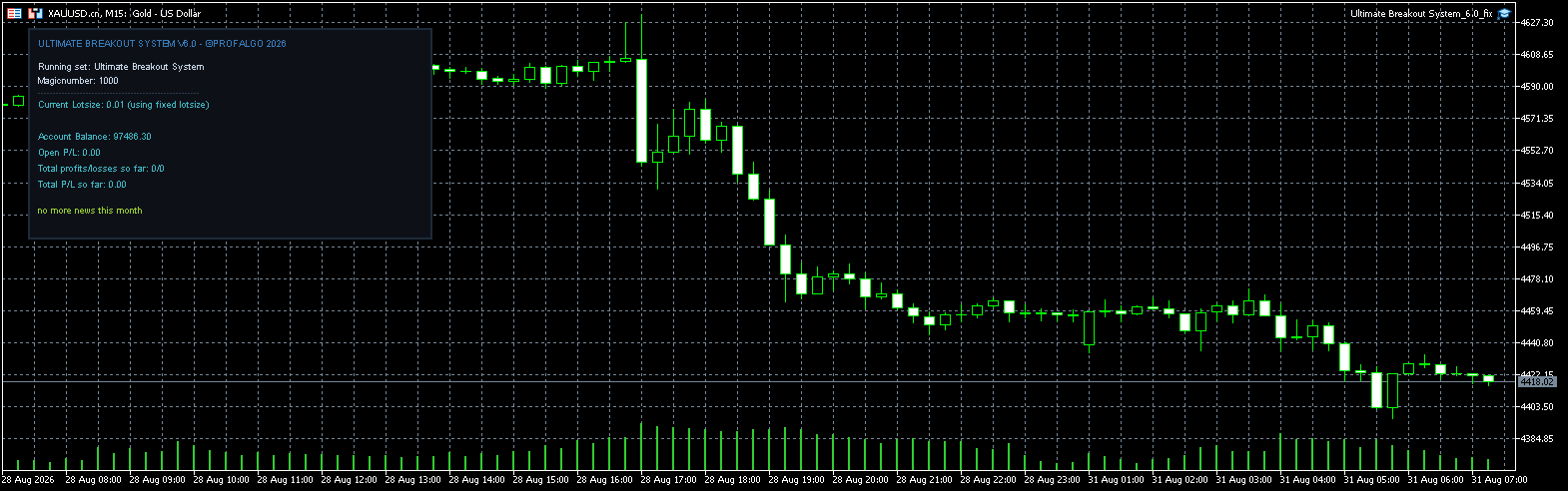
XAUUSD.cn
Timeframe
M15
Starting balance
$10,000
Leverage
1:500
Tick data
100% modelling quality
Spread
Real variable spread

Specifications

Minimum leverage Any
License type Original version

Screenshots

Description

What the framework actually does

Most commercial Expert Advisors ship as a finished robot: one entry rule, one exit rule, applied to one market. Ultimate Breakout System MT5 is not that kind of product. It is a construction kit for breakout strategies. You decide how support and resistance are detected, how far beyond the level a pending Buy Stop or Sell Stop sits, whether an ATR filter must be satisfied first, and what happens to the order if price does not trigger it within a set number of bars.

The engine then manages positions using several trailing systems, fixed stops, fixed targets, and a margin check before each trade. A trader who is comfortable editing inputs can produce genuinely different strategies from the same installation. A trader who is not comfortable doing that will be using the supplied set files almost blindly, which is worth thinking about before spending the asking price.

Who this is aimed at

The documentation presents the product as suitable for professional algorithmic traders, prop firm candidates and portfolio builders. The features support that claim: daily drawdown controls, news filters for major releases, automatic GMT offset detection and per-symbol configuration. But the same flexibility means the learning curve is real. There is no single 'best' setup included; the bundled set files are starting points, not guarantees.

Breakout logic in practice

The core entry model is straightforward. When price closes beyond a validated resistance area, the EA places a Buy Stop above that level. When it closes below validated support, a Sell Stop is positioned beneath it. The crucial word is validated. The framework includes multiple ways to confirm that a level actually matters before trading it, and those settings change the backtest outcome considerably.

Because entries are pending orders rather than market orders, the EA can miss moves that gap through the stop level. That is a normal property of breakout trading and not a flaw, but it is rarely mentioned in marketing materials. The ATR volatility filter can be set to skip breakouts during thin or overly volatile conditions, which helps avoid some of the classic false breakout chop on lower timeframes.

The exit engine deserves attention. Up to five distinct trailing methods are available, including a time-based trail that begins after a position has been open for a certain number of minutes, and a trailing take profit that locks in gains when price reverses by a user-defined amount. These are not cosmetic additions; they change the shape of the equity curve dramatically in some supplied backtests.

Installation and configuration essentials

The EA runs on any timeframe from M1 to D1 and can be attached to gold, forex, commodities, indices or cryptocurrency charts. The minimum deposit listed by the vendor is $100, with any leverage accepted. That low capital threshold is not a recommendation to start with a live $100 account on a 1:500 account while trading gold breakouts; it simply means the software will accept such inputs without rejecting the trade.

More than one hundred set files are included, covering different symbols and timeframes. Loading them is a matter of selecting the EA in the Navigator, dragging it onto a chart, and importing the relevant preset through the Inputs tab. The vendor also includes optimisation templates, which are useful for anyone who wants to run their own walk-forward tests rather than trusting the supplied presets.

The news filter can be configured to pause trading around NFP, CPI or central bank rate decisions. Auto GMT detection handles the broker offset, which is a common source of error when a signal provider publishes set files tuned to a different server time. Manual GMT override is also available for brokers that use unusual offsets.

Realistic expectations

The vendor references a verified MyFxBook account showing a total gain of over 1,600% on an initial $100 deposit, a live MQL5 signal with a 24% gain in eight weeks, and a supplied XAUUSD H1 backtest with a profit factor of 1.43 and a maximum drawdown near 10%. These are developer-reported or third-party tracked figures, not guaranteed outcomes. The drawdowns are not small, and the live signal has been running for only two months at the time of writing.

What matters more is how the framework behaves under your own conditions. The same set file can produce a calm equity curve on one broker and a choppy one on another, because spread, commission, slippage and server time all affect breakout fills. The margin verification and risk-per-trade controls are there specifically to keep a losing sequence from compounding beyond the intended limit, which is the main reason a discretionary breakout trader would consider switching to a rules-based engine at all.

The asking price reflects the breadth of the configuration options, not any promise of profit. A trader who will spend time testing different set files, learning the exit logic and adjusting the risk settings may find it a useful toolbox. A trader expecting to install it on a $100 account and leave it running without supervision will likely be disappointed.

Frequently asked questions

Is the Ultimate Breakout System a single strategy or a collection of strategies?

It is a framework with no fixed single strategy. The same engine can be configured to trade different breakout rules, symbols and timeframes. The developer supplies over 100 set files as examples, but users can create their own configurations from scratch.

Does the EA use martingale, grid or averaging?

No. All trades are triggered by pending Buy Stop and Sell Stop orders placed beyond support and resistance levels. The money management options cover fixed and dynamic lot sizing with risk-per-trade caps, but there is no martingale or grid component mentioned in the product documentation.

Can it be used on a prop firm account?

According to the vendor, the EA includes daily drawdown protection, news filters, automatic GMT detection and margin verification, which are features commonly required by funded account programs. However, prop firm compatibility depends on the specific rules of the firm and the chosen set file, so users should validate their configuration against the firm's limits.

What is the minimum deposit to run this EA?

The vendor states a minimum deposit of $100 and accepts any leverage. This is the lowest capital the software can operate with, not necessarily a sensible starting balance. Gold and index breakouts on M1 can require larger stops, and a $100 account leaves little room for error when a set file is not optimised for current volatility.

Does the package include the source code?

No. The product is sold as a compiled Expert Advisor for MetaTrader 5 only. Users cannot modify the core engine, but they can adjust a wide range of input parameters to change entry, exit and risk behaviour.

Which markets and timeframes are supported?

The facts specify XAUUSD (gold), forex, commodities, indices and cryptocurrencies. The timeframe can be set from M1 up to D1. The supplied set files cover different combinations, and the optimisation templates allow testing on any available symbol.

Tags

Breakout Retest Pro EA MT5
Expert Advisor · MT5 XAUUSD (Gold)

Breakout Retest Pro EA MT5

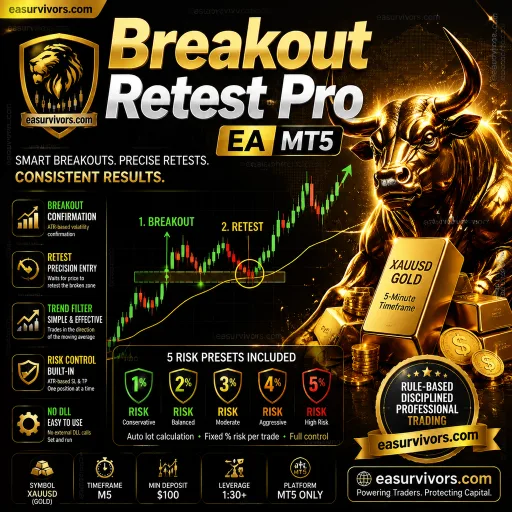
For traders who want automated gold scalping with explicit volatility-based risk controls, Breakout Retest Pro EA MT5 uses a breakout-and-retest sequence on the M5 chart of XAUUSD. It places one trade at a time, adjusts stop and take-profit distances to ATR, and includes an early-exit trigger when momentum reverses. Minimum deposit is $100, and the package ships with five pre-made risk set files.

No loss cap Martingale
M5 (5 minute chart) Minimum deposit $100
FundedEA Quantum Premium MT4
Expert Advisor · MT4 GOLD (XAUUSD), US30, BTCUSD (Bitcoin)

FundedEA Quantum Premium MT4

Automated trading for MetaTrader 4 built around disciplined risk control across gold, US30 and Bitcoin. The system uses preset configurations on M5 to H1 charts, aiming to keep drawdowns low while following prop-firm style rules. It suits traders managing challenge accounts or personal funds who want a rule-based approach without manual screen time.

No loss cap Martingale
M5, M15, M30, H1 Minimum deposit $1,000