Skip to content
EA
MT4 Expert Advisor VIP Risk Management

FundedEA Quantum Premium MT4

Automated trading for MetaTrader 4 built around disciplined risk control across gold, US30 and Bitcoin. The system uses preset configurations on M5 to H1 charts, aiming to keep drawdowns low while following prop-firm style rules. It suits traders managing challenge accounts or personal funds who want a rule-based approach without manual screen time.

Losses on this strategy have no upper bound

The vendor's own description mentions position-scaling logic that keeps a losing sequence open instead of closing it. A single losing sequence therefore has no defined worst case: a long enough move in one direction takes the account to zero. Systems like this can trade profitably for a long time before that happens, which is why an unbroken track record does not settle the question.

Mechanisms found Martingale

How we classify loss mechanisms

FundedEA Quantum Premium MT4
Instruments
GOLD (XAUUSD), US30, BTCUSD (Bitcoin)
Timeframe
M5, M15, M30, H1
Minimum deposit
$1,000
Version
2.0

Backtest results

Simulation — not a live account

Run in the MetaTrader Strategy Tester on real tick data. These are simulated results: a backtest shows how a strategy would have behaved on past prices, not how it will behave on your account.

Period Return Max drawdown Trades Win rate Profit factor
2026 Jul–Aug 1 months -10.7% −15.9% 115 57.4% 0.74
Equity curve — 2026 Jul–Aug Started at $10,000, ended at $8,935. Deepest drawdown −15.9%. Account balance Drawdown from peak 2026-07-01 → 2026-08-15
$8,935 $10,526 -15.1% 2026-07-01 2026-07-21

Settings that scale up after a loss

  • Multiplier=1.4
  • SmartGrid=--------- SMART GRID ---------
  • HedgeSettings=--------- HEDGE SETTINGS ---------
  • MaxHedgeTrades=1
  • HedgeStart=20

These parameters come from the test report itself, not from the vendor's description. A strategy that increases position size after a loss has no defined worst case.

Stop loss is switched off in these settings

  • UseStopLoss=false

With no stop loss, a single position has no defined worst case — it is closed either by a profit target or by the broker.

Full test statistics

Every figure below is copied from the MetaTrader report exactly as it appears there, so you can check it against your own run.

Trade counts

Total trades
115
Long trades (won %)
51 (52.94%)
Short trades (won %)
64 (60.94%)
Winning trades
66 (57.39%)
Losing trades
49 (42.61%)

Drawdown

Balance drawdown, absolute
1104.62
Balance drawdown, maximal
1676.15 (15.86%)
Balance drawdown, relative
15.86% (1676.15)

Risk and efficiency ratios

Profit factor
0.74
Expected payoff per trade Average result of one trade. A big number with a low win rate means it depends on rare large wins.
-9.26

Data quality

Trading server
BlueberryMarkets-Demo
Modelling quality
90.00%
Bars tested
4021
Ticks tested
8391613
Mismatched chart errors
3
Expert advisor settings used (118 parameters)

The exact parameters this test ran with, taken from the report. Results are only comparable when the settings are.

accountVerificationKey
Version
FundedEA Quantum Premium
FundedEA
--------- EA INFORMATION ---------
Website
FundedEA.com
Telegram
t.me/fundedeabot
TradeComment
FundedEA Quantum
MultiPair
--------- MULTI-PAIR SETTINGS ---------
EANumber
1
PortionPC
100
PortionChange
1
OverallRisk
--------- RISK MANAGEMENT ---------
EmergencyCloseAll
false
ShutDown
false
StopTradePercent
10
MaxDDPercent
5
MaxSpread
50
DailyLimits
--------- DAILY LIMITS ---------
DailyProfitTarget
1000
DailyLossLimit
2000
TimeSettings
--------- TRADING SCHEDULE ---------
TradingStartTime
00:00
TradingEndTime
24:00
CloseTradesOutsideTradingHours
false
IndicatorSettings
--------- ENTRY METHODS ---------
ForceMarketCond
3
UseAnyEntry
false
MAEntry
1
CCIEntry
0
BollingerEntry
0
StochEntry
0
MACDEntry
0
LotSettings
--------- POSITION SIZING ---------
UseMM
true
LAF
0.5
Lot
0.01
Multiplier
1.4
AutoCalSettings
--------- GRID SETTINGS ---------
LabelATRTFr
0=Chart, 1=M1, 2=M5, 3=M15, 4=M30, 5=H1, 6=H4, 7=D1, 8=W1, 9=MN1
ATRTF
0
ATRPeriods
21
GAF
1
EntryDelay
2400
EntryOffset
5
SmartGrid
--------- SMART GRID ---------
LabelSGTF
0=Chart, 1=M1, 2=M5, 3=M15, 4=M30, 5=H1, 6=H4, 7=D1, 8=W1, 9=MN1
RSI_TF
3
RSI_Period
14
RSI_Price
0
RSI_MA_Period
10
RSI_MA_Method
0
TradingSettings
--------- TRADING SETTINGS ---------
MaxTrades
15
BreakEvenTrade
12
BEPlusPips
2
UseCloseOldest
false
CloseTradesLevel
5
ForceCloseOldest
true
MaxCloseTrades
4
CloseTPPips
10
ForceTPPips
0
MinTPPips
0
HedgeSettings
--------- HEDGE SETTINGS ---------
UseHedge
false
HedgeSymbol
MaxHedgeTrades
1
CorrPeriod
30
DDorLevel
DD
HedgeStart
20
hLotMult
0.8
hMaxLossPips
30
hFixedSL
false
hTakeProfit
30
hReEntryPC
5
StopTrailAtBE
true
ReduceTrailStop
true
RecoupClosedLoss
true
ExitSettings
--------- EXIT SETTINGS ---------
MaximizeProfit
false
ProfitSet
70
MoveTP
30
TotalMoves
2
UseStopLoss
false
SLPips
30
TSLPips
10
TSLPipsMin
3
UsePowerOutSL
false
POSLPips
600
UseFIFO
false
EarlyExitSet
--------- EARLY EXIT ---------
UseEarlyExit
false
EEStartHours
3
EEFirstTrade
true
EEHoursPC
0.5
EEStartLevel
5
EELevelPC
10
EEAllowLoss
false
MASettings
--------- MA SETTINGS ---------
MAPeriod
100
MADistance
20
CCISettings
--------- CCI SETTINGS ---------
CCIPeriod
14
BBESettings
--------- BOLLINGER SETTINGS ---------
BollPeriod
10
BollDistance
10
BollDeviation
2
StoSettings
--------- STOCHASTIC SETTINGS ---------
BuySellStochZone
20
KPeriod
10
DPeriod
2
Slowing
2
MACDSettings
--------- MACD SETTINGS ---------
LabelMACDTF
0=Chart, 1=M1, 2=M5, 3=M15, 4=M30, 5=H1, 6=H4, 7=D1, 8=W1, 9=MN1
MACD_TF
0
FastPeriod
12
SlowPeriod
26
SignalPeriod
9
MACDPrice
0
Debug
false

How this was tested

Broker
BlueberryMarkets-Demo
Trading server
BlueberryMarkets-Demo
Symbol
XAUUSD.cn
Timeframe
M15
Starting balance
$10,000
Tick data
90% modelling quality
Spread
30 points, fixed

Tick data below 99% quality. Interpolated ticks tend to flatter high-frequency strategies, so this run is only used to rule the product out, never to claim it works.

This period does not cover June–August 2025, when a sharp gold trend closed out a number of expert advisors that had never had a losing month.

Specifications

Minimum leverage 1:100
Set files Available
License type NoDLL / Fix

Description

Why passing evaluation accounts fails with discretionary methods

Evaluation accounts punish one thing above all: inconsistent risk. A trader who manually overrides stops, widens targets on impulse, or exits too early can rack up acceptable returns and still breach a daily drawdown limit. The problem is not always the strategy; it is the execution drift that creeps in over days and weeks. Automating the process removes that drift, but only if the software enforces the same risk envelope on every trade, including trades taken during thin liquidity or after a losing streak.

FundedEA Quantum Premium MT4 addresses this by treating drawdown control as the primary constraint. The system does not chase the highest possible return; it aims to keep losses inside a narrow band while taking modest profit opportunities across three volatile markets. The vendor positions it for FTMO-style evaluations, but the same logic applies to any account where a fixed loss limit matters more than maximum gain.

How the trading logic stays inside the risk envelope

The expert advisor uses a configurable set of parameters across gold (XAUUSD), the US30 index, and Bitcoin (BTCUSD). No single timeframe defines the system: the presets cover M5, M15, M30 and H1 charts, each paired with a specific market and account balance. A 5-minute gold preset exists for smaller accounts from $5k, while a separate H1 gold preset targets a $100k balance. This is not a one-size-fits-all exposure model; the position sizing and stop distances change with the instrument and the account size.

Each preset reflects a different balance of frequency and heat. The US30 group includes a 'SAFER' configuration that trades less often and takes smaller exposure per trade. Bitcoin presets include a 1-minute setting, a 5-minute setting with a 25-pip stop, and several longer-interval variants. Traders who want fewer signals can select a slower timeframe and a safer profile; those willing to accept more frequent trades can move down to M5 with a correspondingly higher allocation. The vendor applied a NoDLL/Fix licence, meaning the EA runs without external DLL calls — a practical advantage for VPS deployment and for brokers that restrict custom library functions.

Preset files shape the behaviour more than the EA itself

The download package includes one core .ex4 file plus a set of .set presets. The presets, not the EA alone, determine how the system trades on a given account. For example, the package ships separate 5-minute gold presets for $5k, $10k, $20k, $25k, $50k, $100k and $200k balances. Each preset adjusts lot sizing and stop placement to keep the percentage risk roughly constant as equity grows. This is a deliberate design: a fixed-lot EA would become progressively riskier as the account compounds, but a scale-aware preset keeps the drawdown profile similar from one stage to the next.

The vendor reports backtesting and live tracking figures that include a 10.38% gain with a 2.46% drawdown on one challenge and a 5.01% gain with a 1.36% drawdown on a verification phase. Those numbers are attributed to the developer and should be treated as historical examples, not guarantees. The claims are plausible for a system designed around low drawdown, but every set of preset files will behave differently depending on the broker feed, spread widening, and slippage during volatile US30 or Bitcoin sessions.

How to configure the system for different account types

The minimum recommended deposit is $1,000 with 1:100 leverage. On an MT4 account, the user installs the EA on the relevant chart, loads the correct preset for the account balance, and leaves the system running. The vendor suggests the setup takes one to two minutes, and the package arrangement supports that: pick the balance bracket, pick the instrument and timeframe, and attach the corresponding .set file. No source code is included, so all adjustments happen through the input fields and preset files.

For prop firm accounts, the relevant constraint is not just the starting balance but the trailing drawdown rules. A $100k evaluation account with a 10% max drawdown has a different risk budget than a $25k live account with a 5% daily stop. The preset naming reflects that: files labelled with specific balances (5k, 10k, 25k, 50k, 100k, 200k) map to typical challenge sizes. A trader who passes a $25k evaluation and then receives a $100k funded account should switch to the 100k preset rather than continuing with the old file.

Limitations that must be accepted before running the EA

The system only trades three instruments: gold, US30 and Bitcoin. That is a deliberate concentration rather than a bug — all three are high-volatility, high-spread products that require careful stop placement and realistic expectations about slippage. On an ECN account, gold spreads widen during rollover; on a fixed-spread account, Bitcoin quotes can pause entirely. A preset that works on a backtest may produce different fills on a live feed, especially on the 1-minute Bitcoin preset where every pip of spread eats into the stop distance.

No DLL calls means the EA will not fetch external news feeds or sentiment data. It is a self-contained rule engine, not an adaptive machine-learning model despite the vendor's 'Quantum' branding. The automation removes emotional execution, but it does not remove market risk. The vendor's historical figures show low drawdowns, yet low drawdown in the past is not the same as an upper bound on future losses. Traders must monitor broker conditions, swap charges on Bitcoin positions held overnight, and the spread behaviour during US30 reopen periods.

The licence allows use on multiple accounts simultaneously, which is convenient for traders running a personal account alongside a challenge account. But that convenience should not translate into higher aggregate risk. Running three instances on three accounts with three different presets can still concentrate exposure in the same instrument across all three, creating a correlation that is easy to miss when each account is viewed separately.

Frequently asked questions

Which preset should I choose for a $50k prop firm challenge?

The package includes a specific 5-minute gold preset labelled for a $50k balance. Select the matching .set file for your account size. Using a preset built for a smaller balance on a larger account, or vice versa, will change the drawdown characteristics.

Does the EA use martingale or grid averaging?

The product is categorised as risk-management rather than grid or martingale. The vendor does not mention grid recovery in the documentation, and the preset system focuses on fixed stop distances and balance-scaled sizing, which is inconsistent with typical martingale logic.

Can I run this on a VPS without manually loading the EA every day?

Yes. Because the EA uses a NoDLL/Fix licence and does not depend on external library calls, it is well suited to a standard MetaTrader 4 VPS installation. Once the EA and the correct preset are loaded, no further manual intervention is required unless you change accounts or presets.

What happens when I switch from a $25k funded account to a $100k account?

You should load the preset that matches the new balance. The package includes separate gold presets for $25k and $100k. Keeping the old preset would distort position sizing relative to the new equity and could breach the funded account's drawdown rules.

Tags

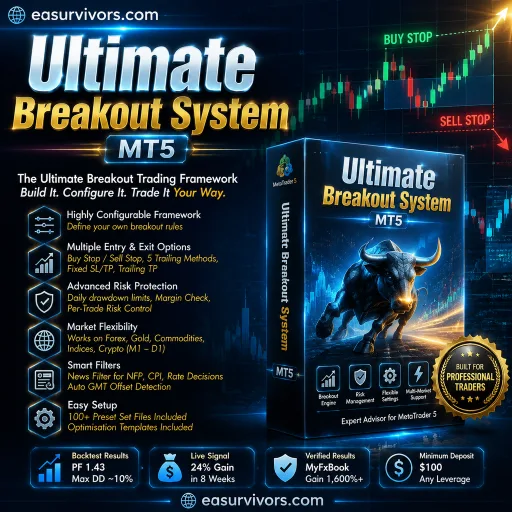
Ultimate Breakout System MT5
Expert Advisor · MT5 XAUUSD (Gold), Forex, Commodities, Indices or Cryptocurrencies.

Ultimate Breakout System MT5

A breakout framework for MetaTrader 5 that lets traders build and test custom pending-order strategies across gold, forex, commodities, indices and crypto. It includes over 100 set files, configurable exit methods and risk controls, and supports timeframes from M1 to D1. The vendor reports strong backtest and signal results, but results depend heavily on configuration.

No loss cap Martingale
M1 to D1 Minimum deposit $100
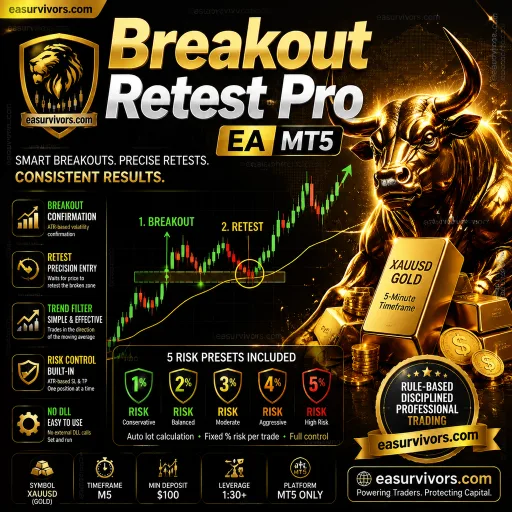
Breakout Retest Pro EA MT5
Expert Advisor · MT5 XAUUSD (Gold)

Breakout Retest Pro EA MT5

For traders who want automated gold scalping with explicit volatility-based risk controls, Breakout Retest Pro EA MT5 uses a breakout-and-retest sequence on the M5 chart of XAUUSD. It places one trade at a time, adjusts stop and take-profit distances to ATR, and includes an early-exit trigger when momentum reverses. Minimum deposit is $100, and the package ships with five pre-made risk set files.

No loss cap Martingale
M5 (5 minute chart) Minimum deposit $100
Quantum OmniGold EA MT5
Expert Advisor · MT4 XAUUSD (Gold)

Quantum OmniGold EA MT5

A fully automated trading tool for XAUUSD on the MetaTrader 4 platform. It combines ZigZag pattern recognition, a moving average trend filter, and stochastic momentum confirmation to identify entries, with fixed stop loss and dual take profit management. Designed for ECN accounts from $100, it avoids grid and martingale methods and includes a low-risk profile suitable for proprietary trading firm evaluations.

Loss capped
M5, M15, M30, H1 Minimum deposit $100