Installing and Activating the EA on MT5
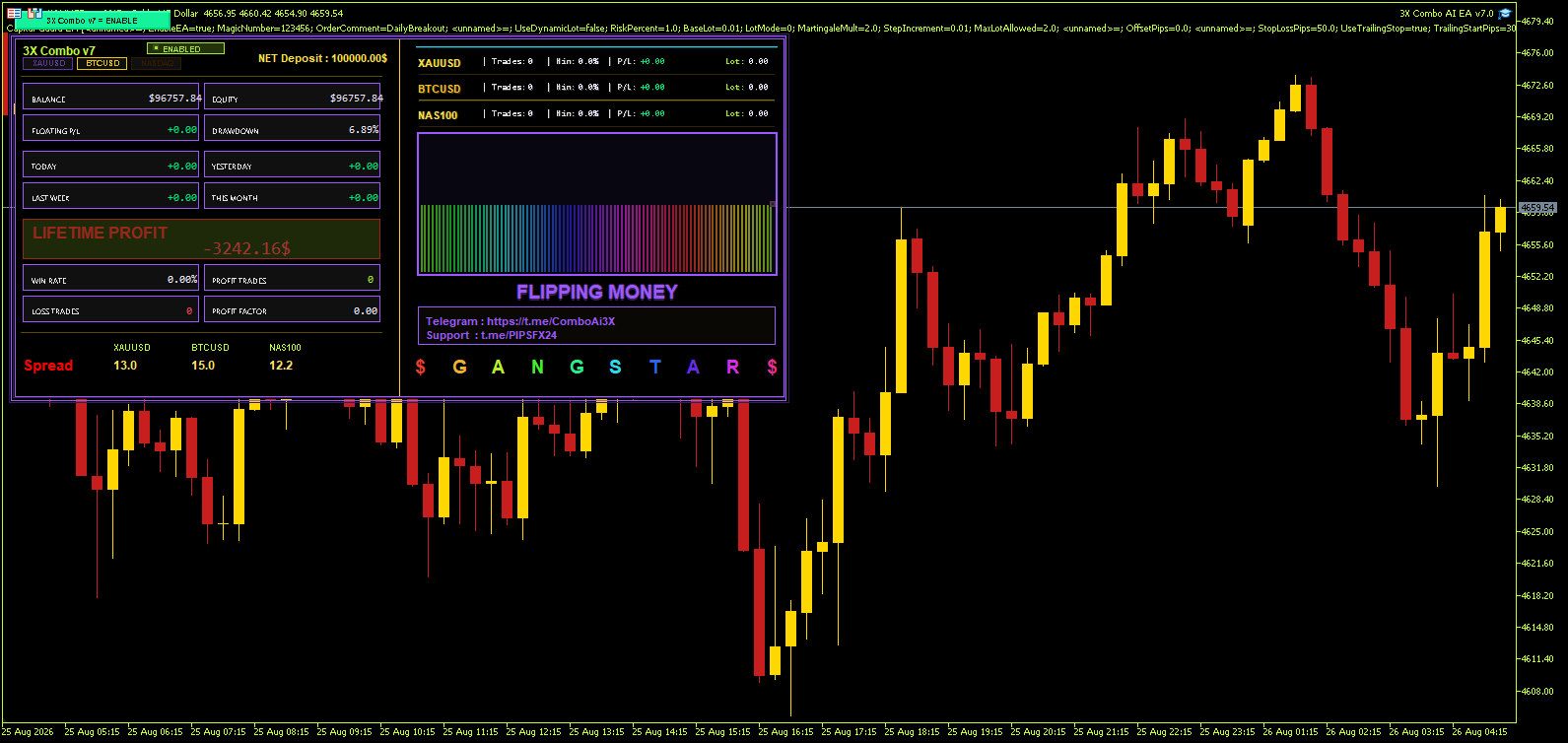
After downloading 3X Combo AI EA MT5, attach it to a single chart in MetaTrader 5. The EA receives ticks from that chart but manages orders across all three configured symbols. No source code is included, so the file is placed in the standard Experts folder. Once attached, the on-chart dashboard appears and shows account balance, open positions, and execution status for XAUUSD, BTCUSD, and NASDAQ.
Before enabling live trading, open the inputs and confirm that each symbol mapping matches your broker’s naming. Some brokers label Bitcoin as BTCUSD, while others use BTCUSD.a or a different suffix. The EA includes manual symbol mapping for this reason. If a symbol is missing, trading for that asset simply stays inactive until the mapping is corrected.
First Run on a Demo Account
A first run on a demo account is the most direct way to verify spread filters and dashboard behaviour. The EA does not require a VPS, but because it monitors three markets continuously, a stable connection reduces the chance of missed ticks during high volatility. Traders who run the EA only during specific sessions can disable individual symbols in the inputs.
Order Logic and Execution Protections
Each supported market runs with its own set of execution rules. The EA checks spread and slippage before sending orders. A wide spread on gold does not block a NASDAQ setup, and vice versa. The vendor describes a hybrid anti-slippage mechanism that adjusts order sending during fast markets. This is not a guarantee of zero slippage, but it changes how orders are timed when quotes are moving quickly.
Open positions are managed by three protective layers. A continuous peak trailing function follows favourable moves and locks in a portion of unrealised profit. A separate early exit guard monitors conditions that indicate the original setup is no longer valid. Finally, a stop loss backup acts as a hard limit if the platform connection is interrupted or the primary stop is not honoured.
The EA does not publish a grid or martingale description. Position sizing is calculated from the selected risk profile, not from a doubling logic. Each new order is sized independently according to the account balance and the chosen profile.
Selecting a Risk Profile
Four profiles control automatic position sizing: RISK NONE, RISK LOW, RISK MEDIUM, and RISK AGGRESSIVE. RISK NONE does not mean no trading; it means the EA uses the fixed lot size entered manually. The other three profiles scale lot size relative to account balance, with RISK AGGRESSIVE using the largest multiplier.
Because the EA manages three different asset classes, a medium profile on a small account may still result in sizable margin usage if all three symbols open positions at the same time. Traders should test each profile on a demo account for at least a week, paying attention to margin level rather than only to profit and loss. The dashboard shows combined exposure, which helps with this check.
Limitations and Difficult Market Conditions
The EA is built for medium to long-term portfolio diversification, not for scalping. Each symbol has its own spread limit, so during news events or low-liquidity hours, one or more symbols may stop trading until conditions return to normal. This is a deliberate filter, but it means the EA can sit idle on all three markets simultaneously during extreme volatility.
Gold and Bitcoin can both become highly correlated during risk-off moves. The diversification benefit weakens when both are moving together. NASDAQ adds a different exposure, but the EA does not hedge between symbols. A sharp move in one asset will not automatically reduce exposure in another.
The vendor supplies backtests for BTCUSD and XAUUSD. According to those reports, the BTCUSD test showed a maximum balance drawdown of 7.15% and the XAUUSD test 10.33%. Those figures come from historical data and do not predict live results. No backtest for NASDAQ is mentioned in the source material.
Because the EA is delivered without source code, traders cannot modify the execution logic. Inputs allow changes to lots, spread limits, slippage, risk profile, and symbol mapping, but the core order logic is fixed. Users who need custom entry rules will not be able to edit them.