What the package contains
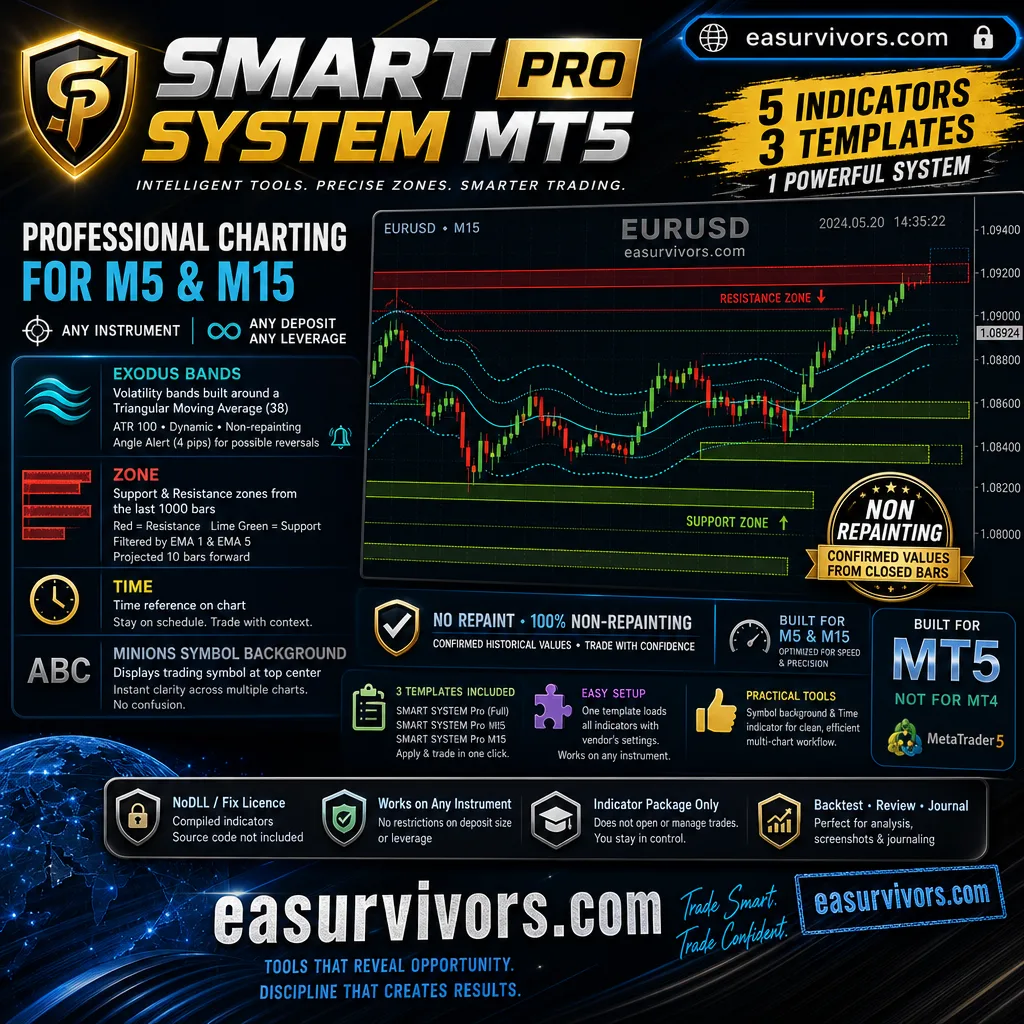
This is a set of five compiled indicators plus three templates, sold as an indicator package rather than an expert advisor. The files included are Exodus Bands, keys_RCI3, Zone, Time, and Minions SymbolBackground, along with SMART SYSTEM Pro, SMART SYSTEM Pro M5, and SMART SYSTEM Pro M15 templates. The vendor describes the tools as designed to work on M5 and M15, on any instrument, with no restriction on deposit size or leverage.
Volatility bands built around a triangular moving average
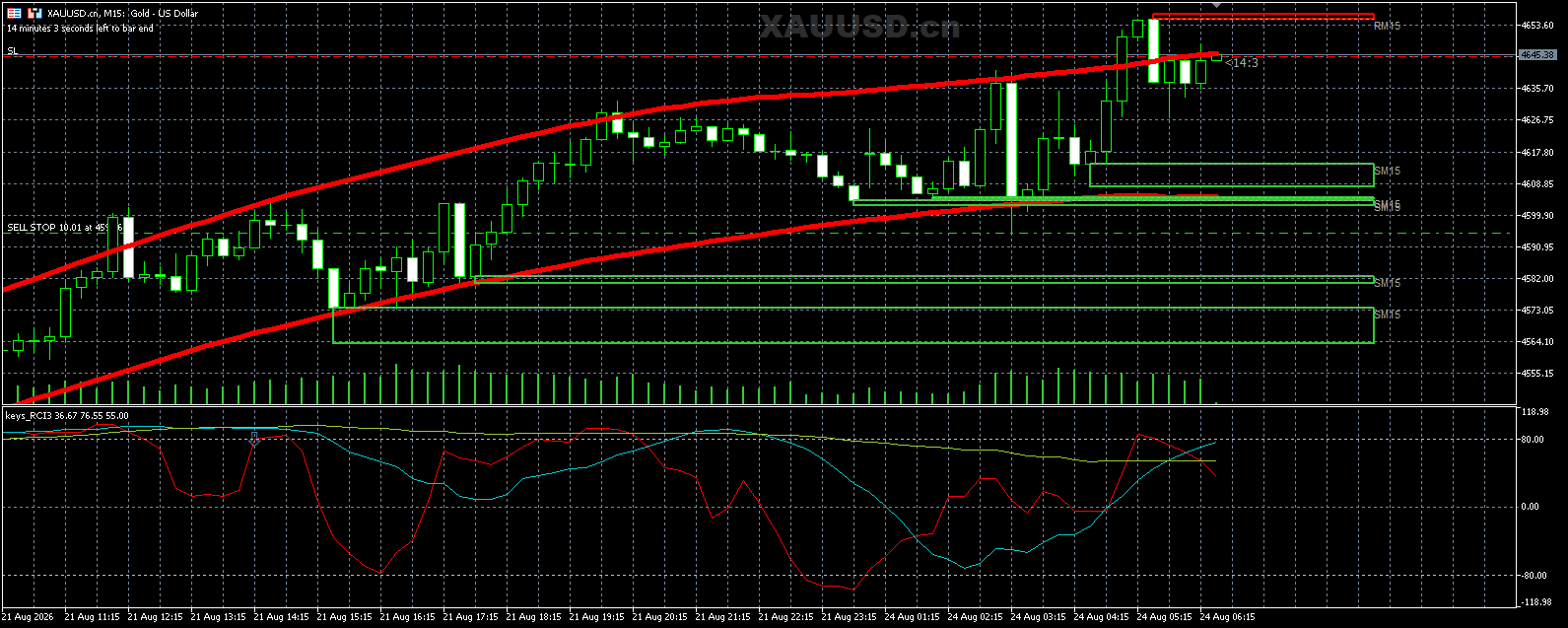
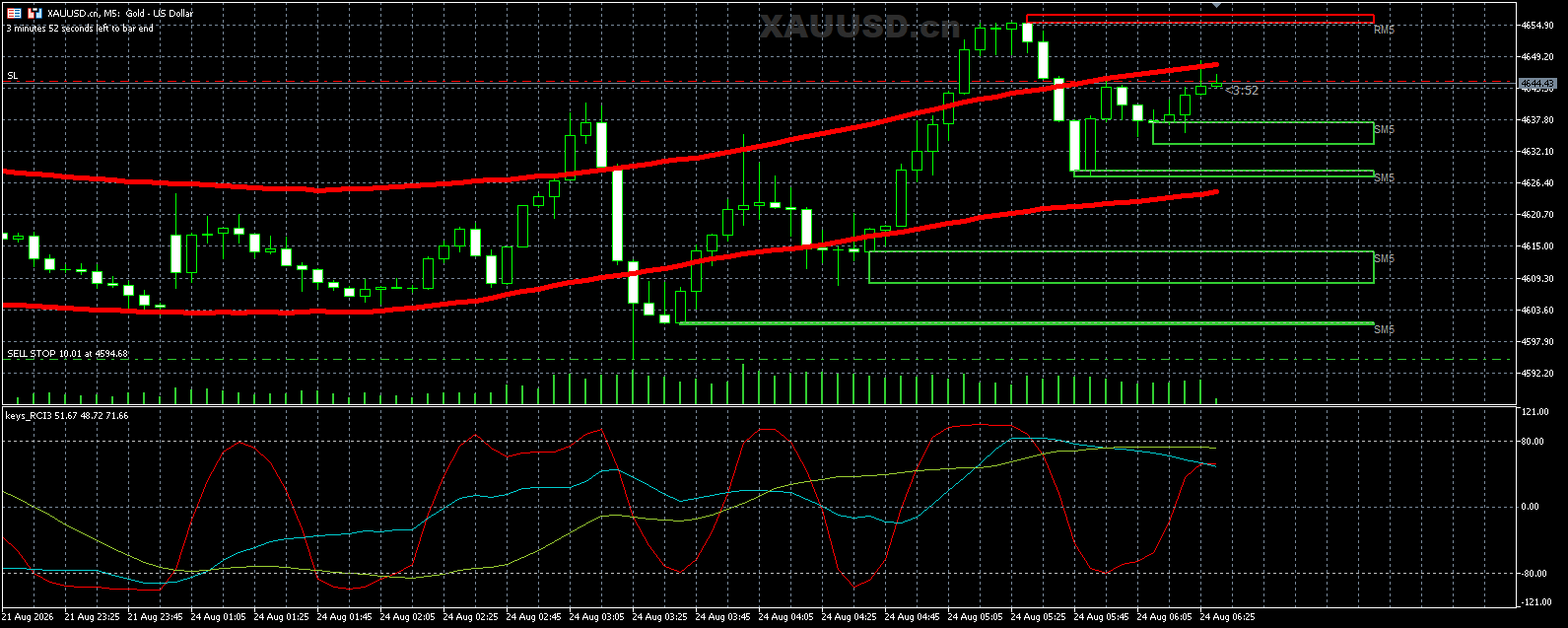
The first visual layer is Exodus Bands. These are volatility-based bands centred on a triangular moving average with a half period of 38. The width is derived from a 100-period average true range and a multiplier, so the bands expand and contract with market activity. A weighted price input is used to give more emphasis to recent price levels. The indicator can alert when the angle of the moving average exceeds a threshold of 4 pips, which the developer presents as a possible reversal signal.
Zone mapping for support and resistance
The second layer, Zone, identifies support and resistance levels from the last 1000 bars. Resistance zones are drawn in red and support zones in lime green, with borders around each zone. A pair of exponential moving averages — a fast 1-period and a slow 5-period — are used to filter which zones are drawn. Each zone is projected forward 10 bars, giving a view of where the same levels would sit on the current price scale.
Chart orientation tools
The remaining indicators serve a practical purpose for multi-chart setups. The symbol background indicator displays the trading symbol in the upper centre of the chart, in a dark grey Arial Black font at size 24. The Time indicator adds a time reference to the chart. These elements are intended to help a trader immediately identify which instrument is on each chart when several are open at once.
Non-repainting behaviour
The vendor states that the indicators do not repaint. The zones and bands are calculated from confirmed historical bars, so their positions do not shift after a bar closes. That is relevant for anyone who intends to review signals after the fact or to take screenshots for a trading journal. The values shown are fixed once the calculation conditions are met.
Setup and templates
Three templates are supplied: one for the complete system, one for M5, and one for M15. Loading a template applies all the indicators with the vendor's preferred settings in a single action. The templates can be attached to any instrument chart, but the package does not provide separate settings for specific pairs. The vendor recommends M5 and M15 as the intended timeframes, with the design tailored to those chart speeds.
Licensing and platform note
This product is sold as a NoDLL/Fix licence. The indicators are provided in compiled form only; source code is not included. The package is built for MetaTrader 5, not MetaTrader 4, despite the product name. Buyers should ensure their broker terminal is MT5 before purchase, as the .ex5 files will not run on MT4.
What to check before running live
Because the toolset is an indicator package, it does not open or manage trades by itself. A trader must still make entry and exit decisions. The vendor does not include any preset risk parameters, stop-loss logic, or lot sizing rules in the package. Those would come from the trader's own plan. It may be worth testing the visuals on a demo account first to confirm the bands and zones align with the trader's expectations for the instruments they actually trade. The alerts depend on the terminal being open and the chart active; they are not sent to a mobile device unless the trader has set up MetaTrader push notifications separately.