Skip to content
EA
MT4 Expert Advisor VIP Grid & Martingale

Waka Waka EA MT4

A grid-based expert advisor for MetaTrader 4 that trades three correlated Australian and New Zealand dollar crosses on the 15-minute chart. It uses capped grid levels, volatility-adjusted spacing, and built-in news filters to manage exposure. With a minimum deposit of $500 and support for ECN accounts, Waka Waka EA MT4 targets steady accumulation rather than rapid gains. The vendor reports a 74% win rate and 14.

Losses on this strategy have no upper bound

The vendor's own description mentions position-scaling logic that keeps a losing sequence open instead of closing it. A single losing sequence therefore has no defined worst case: a long enough move in one direction takes the account to zero. Systems like this can trade profitably for a long time before that happens, which is why an unbroken track record does not settle the question.

Mechanisms found Grid

How we classify loss mechanisms

Waka Waka EA MT4
Instruments
AUDCAD, AUDNZD, NZDCAD
Timeframe
M15 (15 minute chart)
Minimum deposit
$500
Version
4.59

Backtest results

Simulation — not a live account

Run in the MetaTrader Strategy Tester on real tick data. These are simulated results: a backtest shows how a strategy would have behaved on past prices, not how it will behave on your account.

Period Return Max drawdown Trades Win rate Profit factor
2026 Jun–Aug 2 months -1.6% −1.7% 259 88.8% 0.18
Equity curve — 2026 Jun–Aug Started at $10,000, ended at $9,838. Deepest drawdown −1.7%. Account balance Drawdown from peak 2026-06-01 → 2026-08-15
$9,838 $10,002 -1.6% 2026-06-01 2026-08-14

Settings that scale up after a loss

  • AllowOpeningNewGrid=true
  • AllowHedging=true
  • Grid_Setting=Adjust the grid distance and multipliers
  • TradeMultiplier_2nd=1
  • TradeMultiplier_3rd=2
  • TradeMultiplier_6th=1.5
  • GridLevelToStart=1

These parameters come from the test report itself, not from the vendor's description. A strategy that increases position size after a loss has no defined worst case.

Full test statistics

Every figure below is copied from the MetaTrader report exactly as it appears there, so you can check it against your own run.

Trade counts

Total trades
259
Long trades (won %)
136 (90.44%)
Short trades (won %)
123 (86.99%)
Winning trades
230 (88.80%)
Losing trades
29 (11.20%)

Drawdown

Balance drawdown, absolute
169.92
Balance drawdown, maximal
171.47 (1.71%)
Balance drawdown, relative
1.71% (171.47)

Risk and efficiency ratios

Profit factor
0.18
Expected payoff per trade Average result of one trade. A big number with a low win rate means it depends on rare large wins.
-0.62

Data quality

Trading server
BlueberryMarkets-Demo
Modelling quality
90.00%
Bars tested
6028
Ticks tested
14502694
Mismatched chart errors
3
Expert advisor settings used (53 parameters)

The exact parameters this test ran with, taken from the report. Results are only comparable when the settings are.

MM_Setting
Select the risk settings
AllowOpeningNewGrid
true
LotSizingMethod
5
LotSizingValueFixed
0.01
LotSizingValueDynamic
10000
LotSizingDepositLoadPercent
0.25
FixedInitialDeposit
false
MaximumLot
100
AutoSplit
false
MaximumSpread
40
MaximumSlippage
10
MaximumSymbols
2
AllowHedging
true
AllowTradingOnHolidays
false
AllowToBuySell
0
MinimumFreeMargin
0
MaximumDrawdown
100
MaximumDrawdownMoney
0
MaximumDrawdownAction
0
DrawdownCalculation
1
Strategy_Setting
Select the strategy settings and symbols used
Symbols
AUDNZD,AUDCAD,NZDCAD
HourToStartTrading
0
HourToStopTrading
23
BollingerBandsPeriod
35
RSI_Period
20
RSI_Value
15
Strategy_Setting_TP
Select TP settings
InitialTP
10
WeightedTP
true
GridTP
0
BreakEvenAfterThisLevel
0
HideTP
false
Use_OPO_Method
false
OPO_TimeFrame
15
SmartTP
false
DoNotAdjustTPUnlessNewGrid
false
Strategy_Setting_SL
Select SL settings
GridSL
0
HideSL
false
Grid_Setting
Adjust the grid distance and multipliers
TradeDistance
35
SmartDistance
true
TradeMultiplier_2nd
1
TradeMultiplier_3rd
2
TradeMultiplier_6th
1.5
MaximumTrades
9
GridLevelToStart
1
KeepOriginalProfitLotSize
false
Additional_Setting
Change the comment and UID if needed
TradeComment
Waka
UID
0
ShowPanel
true

How this was tested

Broker
BlueberryMarkets-Demo
Trading server
BlueberryMarkets-Demo
Symbol
XAUUSD.cn
Timeframe
M15
Starting balance
$10,000
Tick data
90% modelling quality
Spread
28 points, fixed

Tick data below 99% quality. Interpolated ticks tend to flatter high-frequency strategies, so this run is only used to rule the product out, never to claim it works.

This period does not cover June–August 2025, when a sharp gold trend closed out a number of expert advisors that had never had a losing month.

Specifications

Account type ECN broker
Minimum leverage 1:30 or higher
License type NoDLL / Fix

Description

How the grid logic addresses correlation risk

Waka Waka EA MT4 operates on AUDCAD, AUDNZD, and NZDCAD — three pairs that share underlying drivers and sometimes move together. This correlation can amplify drawdowns if a grid is built without constraints. The EA's approach is to cap the number of open levels and adjust the distance between entries based on recent volatility. When the market ranges, positions accumulate at controlled intervals; when momentum is weak, filters reduce the chance of adding a new layer.

The strategy does not rely on a fixed spacing value. Instead, the grid step is recalculated from market conditions, which means the EA may trade fewer levels in a slow market and more in a volatile one — up to a defined maximum. Profit targets are weighted across the open basket rather than requiring each individual trade to close at a fixed take-profit. This approach aims to flatten equity swings, but traders should understand that a grid system can still hold floating losses for extended periods if the pairs trend strongly.

Risk controls and account requirements

The minimum deposit stated by the vendor is $500, and the account should be an ECN type with leverage of at least 1:30. These are not casual suggestions: a lower deposit would leave little room for the multiple open positions a grid strategy typically carries. Even with the EA's internal drawdown limits, a market-wide move in the Australian or New Zealand dollar can push several correlated pairs against the basket simultaneously. The developer reports a maximum drawdown of 14.4% on a live signal, but this is one observed period, not a ceiling.

The EA includes two distinct set files in the download package: one using round-down lot sizing and one using round half-up. These files configure the same EA differently, so a trader must choose one and stick to it, or test both on a demo account first. The vendor also includes a news filter and holiday filter, which can be toggled off if desired. While the filters reduce exposure during scheduled high-impact events, they do not guarantee protection from unexpected price gaps.

One-chart setup and pair selection

Waka Waka EA MT4 is designed to run from a single chart. After attaching it to an M15 chart of any of the three supported symbols, the EA can manage positions on all three pairs. This reduces configuration errors and saves system resources compared to running one EA per pair. However, the trader must still ensure that all three symbols are visible in the Market Watch window and that the broker uses standard suffixes, or the EA may fail to open positions on some pairs.

The EA is compiled as an .ex4 file without source code, and the license is 'NoDLL / Fix', meaning no external DLL calls are required. This simplifies installation and reduces security concerns, but it also means the user cannot modify the core logic. The package contains two versioned .ex4 files, v4.59 and v4.43, which suggests the developer has updated the EA over time. Traders should use the newer version unless they encounter issues specific to their broker.

Installation and configuration steps

After purchasing or obtaining the EA, copy the .ex4 file into the 'Experts' folder of the MetaTrader 4 installation. The provided .set files go into the 'Presets' folder. Attach the EA to an M15 chart, enable automated trading, and load one of the two set files. The EA will then begin analysing the three pairs. Do not change the timeframe or attach it to a different currency pair, as the logic is calibrated for the M15 timeframe and these three symbols.

The vendor recommends testing on a demo account before running live, particularly if the broker's spread or commission model differs from the ECN conditions used in the developer's tests. Some brokers apply wider spreads on exotic crosses like AUDNZD, which can reduce the EA's effective profitability. The news filter should be left enabled during the first weeks to observe how the EA behaves around major economic releases.

Realistic expectations from backtests and live signals

The developer reports strong historical results: a backtest on AUDCAD over 17 years with a $1,000 initial deposit produced a net profit of $9.32 million and a maximum drawdown of 34.31%. Similar tests on AUDNZD and NZDCAD show profits of $98,078 and $3.42 million respectively, with drawdowns up to 49.20%. These figures are intriguing but should be treated as marketing material — backtests often do not account for real-world slippage, variable spreads, or broker execution differences, and the 17-year period may include structural market shifts.

The live signal cited by the vendor shows a total return of +3,088% over 164 weeks with a maximum drawdown of 14.4% and a win rate of 74.2%. That implies a starting deposit of $500 grew to over $15,000. While these numbers are from a real account according to the vendor, they are not independently audited and represent one set of conditions. A trader starting with the minimum deposit should expect much smaller absolute returns and should be prepared for drawdown periods that may last months.

Waka Waka EA MT4 is not a set-and-forget system despite its one-chart design. Regular monitoring of open positions, margin level, and the EA's log is advisable. Because all three pairs are correlated, a single central bank announcement or commodity shock can move the whole basket at once. The EA's internal filters may reduce that risk, but they cannot remove it.


Frequently asked questions

Why does the EA trade AUDCAD, AUDNZD, and NZDCAD simultaneously?

These three pairs form a triangle of currencies that are economically linked. The EA's grid logic is designed to exploit the fact that they often mean-revert against each other. However, they can also trend together, which increases risk. The EA's volatility-adjusted spacing and capped levels are meant to handle both conditions.

Can I run Waka Waka EA MT4 on a standard account instead of ECN?

The vendor specifies an ECN account type with leverage of at least 1:30. A standard account with wider spreads or a different execution model may degrade performance, particularly because the EA's grid strategy involves frequent trades. It is possible, but the developer does not recommend it, and results may differ significantly from the published figures.

What is the difference between the two set files provided?

One set file uses round-down lot sizing and the other uses round half-up. Round-down will slightly reduce position size relative to the calculated risk, while round half-up rounds to the nearest half lot. Both are valid starting points, but a trader should test which one matches their risk tolerance and broker's minimum lot increment before going live.

Does the EA require a VPS to operate reliably?

The vendor does not state that a VPS is mandatory, but because the EA is intended to manage positions across multiple pairs continuously on M15, any interruption to the MetaTrader platform or internet connection can cause missed grid levels or delayed exits. A VPS is strongly advised for anyone running it on a live account.

Is the source code available for further customization?

No. The product is provided as compiled .ex4 files only, with a NoDLL license. This means you cannot view or modify the EA's internal logic. You can only adjust the external input parameters via the provided set files.

Tags

GoldTrap EA MT5
Expert Advisor · MT5 XAUUSD (Gold)

GoldTrap EA MT5

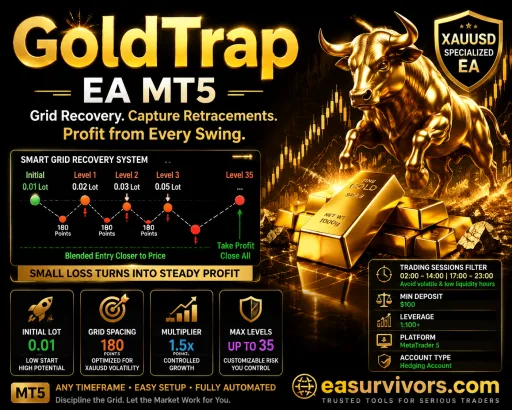
A recovery-based grid system built specifically for XAUUSD, this EA opens an initial position and then layers in additional orders if price moves against it, aiming to close the whole basket once gold retraces. The fixed session filter and configurable lot multiplier let traders tune exposure, but the martingale-style logic means drawdowns can escalate quickly when gold trends without a pullback.

No loss cap Martingale · Grid
Any Minimum deposit $100
Veloz Scalping Bot MT5
Expert Advisor · MT5 XAUUSD (Gold)

Veloz Scalping Bot MT5

Gold scalping on the M1, M5 and M15 timeframes with a structured grid that caps open orders at six and uses a global trailing stop. Veloz Scalping Bot MT5 targets small intraday retracements on XAUUSD, with spread filtering and an equity drawdown kill-switch. Fixed lot sizing keeps exposure predictable, but the averaging logic means losses can compound if the cycle runs fully against you.

No loss cap Martingale
M1, M5, M15 Minimum deposit $500