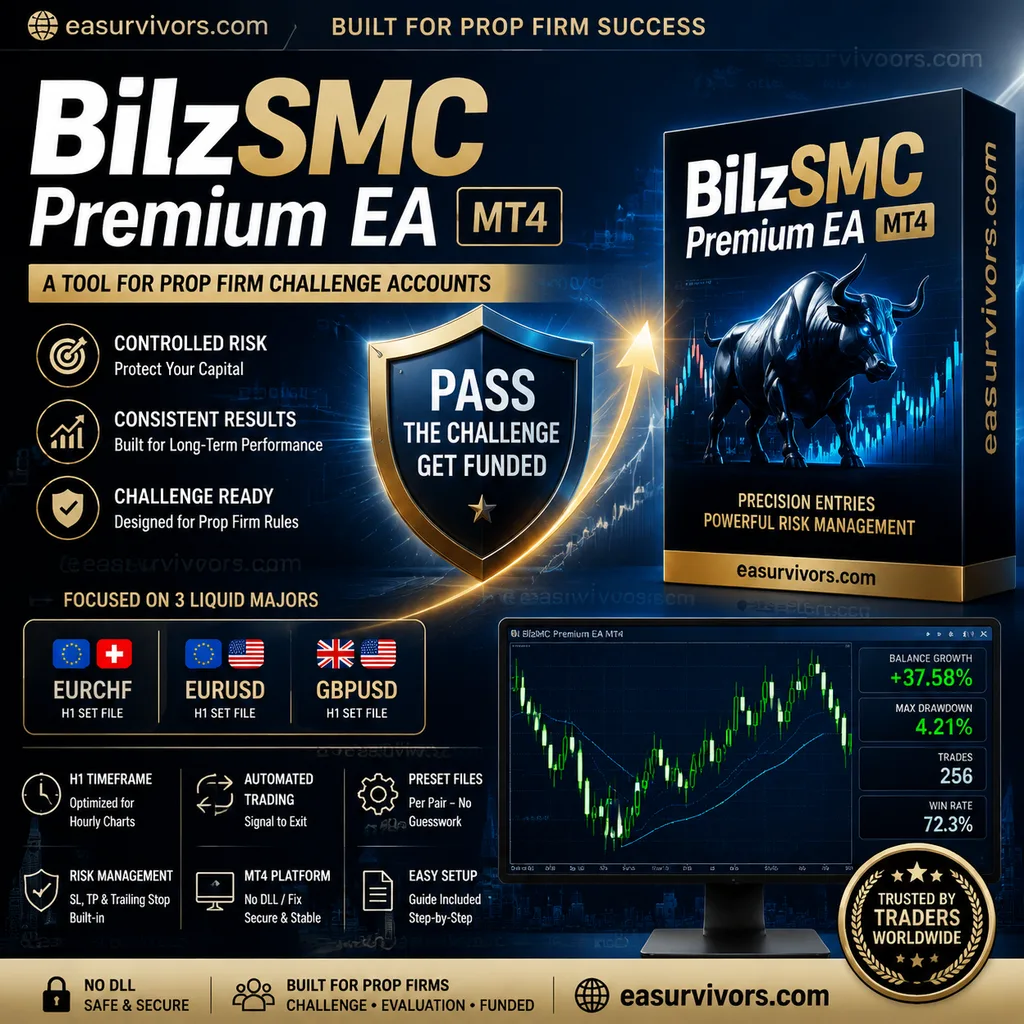
A tool for prop firm challenge accounts
BilzSMC Premium EA is designed for traders who are working through prop firm evaluations or managing funded accounts. The focus is on controlled risk and consistency rather than aggressive returns, which suits challenge rules that penalise large drawdowns. It is less appropriate for traders who want high-frequency scalping on exotic pairs or those who prefer to manage every entry manually.
The system is not a multi-strategy portfolio in the usual sense. It concentrates on three liquid majors — EURCHF, EURUSD and GBPUSD — each with its own preset file. That narrow focus means the developer has tuned parameters per symbol instead of relying on one generic setting across markets. If a trader only works with gold or indices, this EA does not cover those instruments.
How the EA opens and manages positions
The expert advisor runs on the one-hour chart and automates the full cycle from signal to exit. Entries are based on a custom indicator included in the package, which the EA reads to determine when conditions align. The vendor describes the strategy mix as ranging from short-term scalping to trend-following, but on H1 the holding period is unlikely to be as short as M1 or M5 scalping. Rather, the EA aims to capture moves that develop over several hours while using smaller profit targets than a pure swing system would.
Risk management is built into the trade logic. Stop loss and take profit levels are applied per position, and a trailing stop can lock in gains as price moves in the trade's favour. The preset files define these values for each currency pair, so the user does not have to calculate them from scratch. That said, the EA still allows manual adjustment of core parameters, so a trader can tighten or loosen risk settings to fit a specific prop firm's rules.
The indicator file, BilzSMC.ex4, is provided alongside the EA. It cannot be opened or edited, but it must be placed in the correct MetaTrader data folder for the EA to function. The package includes a text guide covering installation and the basic settings, which reduces the chance of misconfiguration on a fresh terminal.
Preset files rather than a blank template
Instead of shipping with default parameters that work poorly across different pairs, the package contains one set file per symbol: GBPUSD H1.set, EURUSD H1.set and EURCHF H1.set. A trader can load the relevant preset and avoid the trial-and-error phase that often comes with unconfigured expert advisors. The sets are meant to be used on the H1 chart without changing the timeframe, as the logic is calibrated to hourly bars.
Account size, leverage and platform constraints
The stated minimum deposit is $100, which makes the EA accessible for small personal accounts as well as typical prop firm challenge accounts. However, the minimum deposit is only one factor. Because the EA trades three pairs with stop losses, the actual margin requirement depends on the broker's leverage and the lot sizing set in the preset. On a $100 live account with standard 1:30 leverage, the margin buffer may be thin if all three pairs open positions at the same time. Traders should review the lot size in each set file and compare it against their account balance before going live.
The EA runs on MetaTrader 4 only. There is no MT5 version named in the package, so users on the newer platform would need to use an MT4 terminal. The licence is described as 'NoDLL / Fix', which means the EA does not load external DLL libraries and is tied to a fixed account or terminal configuration. This reduces security concerns but also means the EA may not work if the account number or broker terminal changes without a new licence from the vendor.
No source code is included. The .ex4 files are compiled and cannot be modified at the code level. Traders who want to inspect the underlying logic or make their own adjustments will not be able to do so. The vendor asks $2000 for this package, which places it well above the average commercial EA price. That cost is primarily justified by the prop firm angle and the per-pair presets, but it is a significant commitment for a system without source access.
Points to check before using it live
The first practical step is to run the EA on a demo account with the same broker, leverage and currency pairs as the intended live or challenge account. That allows a trader to see how often the three pairs open simultaneously and whether the combined margin use approaches the account limit. Backtesting is possible because the EA can process historical data, but the vendor's results should be treated as marketing rather than a guarantee. The developer reports that the EA has been used successfully in prop firm evaluations, but no independent verification is provided.
Another consideration is spread and execution. The EA works on EURCHF, EURUSD and GBPUSD, which are typically low-spread pairs, but during news or rollover the spread can widen enough to affect stop loss placement. Traders on an ECN account will generally see tighter spreads than those on a fixed-spread account, and the EA's performance can differ as a result. The presets do not include a spread filter by default, according to the available documentation, so the trader may need to monitor this manually.
Finally, the fixed licence model means the EA is not transferable across unlimited accounts. If a trader passes a challenge and moves to a funded account with a different account number, they should clarify with the vendor whether a new licence is required. Some fixed-licence EAs are tied to a specific account for life, which can be a hidden cost when scaling through a prop firm's evaluation stages.