Skip to content
EA
MT4 Expert Advisor VIP Trend Following

Range Breakout EA MT4

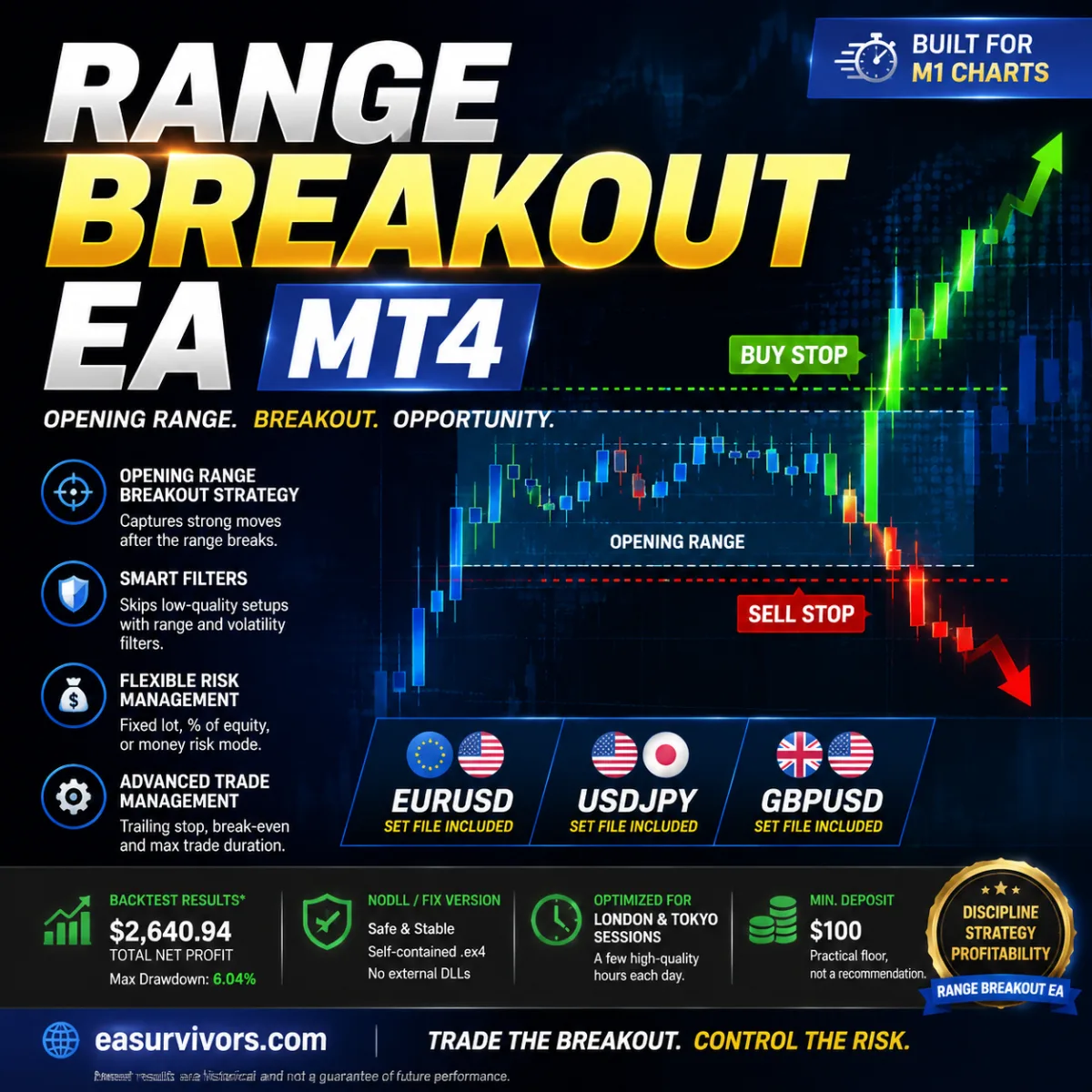
For traders looking to automate intraday breakout strategies on EURUSD, USDJPY, and GBPUSD, this MetaTrader 4 expert advisor uses a structured opening-range analysis to identify directional momentum in morning sessions. It avoids martingale and grid logic, offers adaptive risk controls, and comes with three pre-built set files for M1 charts.

Losses on this strategy are capped

Every trade carries a hard stop and position size does not increase after a loss, so the worst case of one losing sequence is known in advance. That says nothing about whether this product is profitable, only that it can survive a bad month. We backtest products in this group.

How we classify loss mechanisms

Range Breakout EA MT4
Instruments
EURUSD, USDJPY, GBPUSD (Any)
Timeframe
M1 (Any)
Minimum deposit
$100
Version
1.35

Backtest results

Simulation — not a live account

Run in the MetaTrader Strategy Tester on real tick data. These are simulated results: a backtest shows how a strategy would have behaved on past prices, not how it will behave on your account.

Period Return Max drawdown Trades Win rate Profit factor
2026 Jul–Aug 2 months +61.2% −7.6% 44 63.6% 2.27
Equity curve — 2026 Jul–Aug Started at $10,000, ended at $16,123. Deepest drawdown −7.6%. Account balance Drawdown from peak 2026-07-01 → 2026-08-24
$16,123 -9.2% 2026-07-01 2026-08-21

How concentrated the profit is

80% of the profit came from 5 of 37 trading days (13.5%).

A smooth equity curve can still be a handful of exceptional days plus a long flat stretch.

Longest losing streak: 3 trades

Full test statistics

Every figure below is copied from the MetaTrader report exactly as it appears there, so you can check it against your own run.

Trade counts

Total trades
44
Long trades (won %)
22 (68.18%)
Short trades (won %)
22 (59.09%)
Winning trades
28 (63.64%)
Losing trades
16 (36.36%)

Drawdown

Balance drawdown, absolute
561.60
Balance drawdown, maximal
1250.70 (7.61%)
Balance drawdown, relative
10.35% (1149.66)

Risk and efficiency ratios

Profit factor
2.27
Expected payoff per trade Average result of one trade. A big number with a low win rate means it depends on rare large wins.
139.15

Data quality

Trading server
BlueberryMarkets-Demo
Modelling quality
25.00%
Bars tested
53146
Ticks tested
9720623
Mismatched chart errors
0
Expert advisor settings used (38 parameters)

The exact parameters this test ran with, taken from the report. Results are only comparable when the settings are.

I
+--- General Settings ---+
TimeframeRangeCalculation
1
ModeVolume
1
Lots
0.01
LotsPerMoney
1000
RiskPercent
0.5
OrderPufferPoints
0
TargetFactor
0
StopFactor
1
II
+--- Time Settings ---+
TimeStartHour
0
TimeStartMin
0
TimeEndHour
7
TimeEndMin
30
TimeDeleteHour
18
TimeDeleteMin
0
IsClose
true
TimeCloseHour
18
TimeCloseMin
0
III
+--- Trailing Stop Settings ---+
BeTriggerPoints
0
BePufferPoints
10
TslTriggerPoints
0
TslPoints
100
TslStepPoints
10
IV
+--- Trading Frequency Settings ---+
MaxBuy
1
MaxSell
1
MaxTrades
2
V
+--- Range Filter Settings ---+
MinRangePoints
0
MaxRangePoints
10000
VI
+--- More Settings ---+
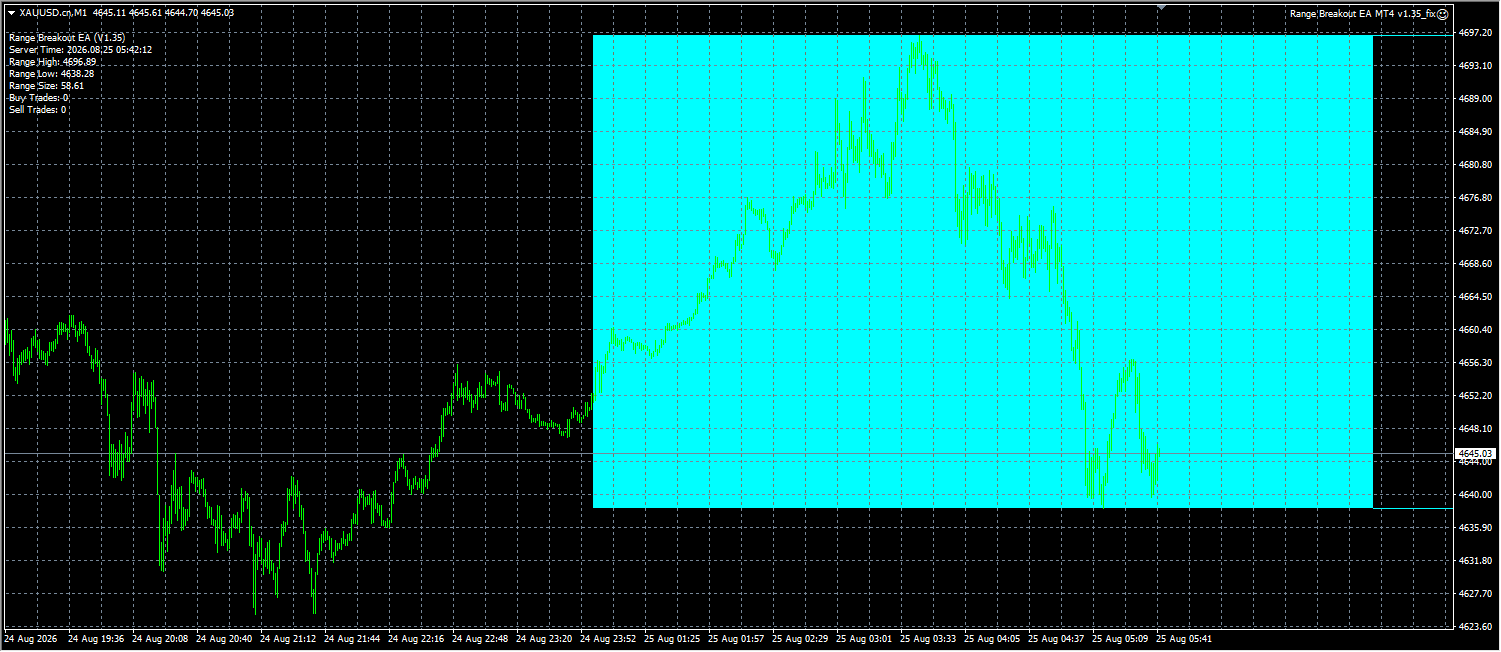
RangeColor
Aqua
Commentary
Magic
111
IsChartComment
true
IsDebug
false

How this was tested

Broker
BlueberryMarkets-Demo
Trading server
BlueberryMarkets-Demo
Symbol
XAUUSD.cn
Timeframe
M1
Starting balance
$10,000
Tick data
25% modelling quality
Spread
29 points, fixed

Tick data below 99% quality. Interpolated ticks tend to flatter high-frequency strategies, so this run is only used to rule the product out, never to claim it works.

This period does not cover June–August 2025, when a sharp gold trend closed out a number of expert advisors that had never had a losing month.

Specifications

Set files Available
License type NoDLL / Fix

Screenshots

Description

Installation and Initial Setup

Before running the EA, verify that your MetaTrader 4 terminal is up to date and that you have a stable connection to your broker's server. The package includes the compiled expert file (an .ex4) and three set files, each tuned for a specific symbol on the M1 timeframe. Copy the expert file into the 'Experts' folder and the set files into the 'Presets' folder of your MT4 installation. After restarting the platform or refreshing the Navigator, attach the expert to a chart for the symbol you intend to trade. The included set files cover EURUSD, USDJPY, and GBPUSD, and they preconfigure the risk and session parameters for those instruments.

Because the EA is designed for breakout trading during defined market hours, the system clock and trading session settings on your broker's platform matter. The default parameters assume a specific time window for the opening range; if your broker's server time differs significantly from the local market open, you may need to adjust the input values accordingly. The set files are a practical starting point, but they are not a guarantee that the EA will perform identically on every account.

Order Entry and Exit Logic

The EA's core concept is to measure a price range over an initial period and then place pending stop orders above and below that range. When the market breaks out, one of the orders is triggered and becomes a market position. This is a classic opening-range breakout approach, but with additional filters: the EA evaluates the height of the range and may skip trades when the range is too small or too large relative to recent volatility. This filtering is intended to avoid low-quality setups where a breakout might immediately reverse.

The EA does not use a martingale or grid approach. Each signal corresponds to a single entry, and the risk per trade is controlled by the lot-sizing mode you select. Exit management includes a trailing stop and a break-even function. Once the trade moves a certain distance in your favor, the stop loss can be adjusted to lock in profits. The EA also enforces a maximum trade duration; if a position has not reached its target or stop by a pre-set time, it is closed automatically.

Configuring Risk and Money Management

Risk allocation is adjustable through three modes: fixed lot, percentage of equity, or a monetary amount per trade. The set files provided by the developer typically use the automatic lot mode, where the position size is calculated from the account balance and the stop-loss distance. This helps keep the loss per trade relatively constant, but it also means that the absolute lot size will grow if the account grows. Traders who prefer maximum control can switch to fixed lots and set an explicit lot size that matches their comfort level.

The minimum suggested deposit is $100, but this is a practical floor, not a recommendation. At that level, with a fixed lot size of, for example, 0.01 lots on a major pair, the margin usage would be moderate, but a sequence of losing trades could still draw down a significant portion of the account. A larger buffer reduces the statistical likelihood that the EA will hit a drawdown limit before a profitable breakout sequence. The developer's own backtest used a $10,000 initial deposit, which allowed for more conservative position sizing and a reported maximum drawdown of about 6% over the test period.

Instrument and Timeframe Considerations

The EA is optimized for M1 charts, meaning it calculates the opening range from one-minute candles. Despite the short timeframe, the strategy is not a high-frequency scalper: it aims to capture directional moves that develop after the range is broken, often during the first hours of the London or Tokyo session. Therefore, the relevant opportunity window is usually a few hours per day per symbol.

Although the developer lists the three majors as the primary instruments, the EA can technically be attached to any symbol and timeframe. However, the range filters and session logic were calibrated for these specific pairs on M1. Using the EA on a different timeframe, such as M5 or M15, would change the meaning of the range and could produce different results. The same applies to non-listed pairs with different volatility profiles. For that reason, the set files should be used only on the symbols for which they were designed.

Practical Limitations and Failure Modes

A breakout strategy fails when breakouts are false, meaning the price moves beyond the range and then reverses. The EA's range-size filter is intended to reduce these failures, but it cannot eliminate them. On days with low volatility or during holiday periods, the EA may not trade at all because the range is too small to meet the filter criteria. Conversely, during major news releases, the range may be extremely wide and the EA may avoid trading altogether. This is not a flaw, but it means the EA's activity is concentrated in specific market conditions.

Another practical concern is the dependency on the specified trading window. If the opening range is defined by a fixed time, such as the start of the London session, then a shift in broker server time (e.g., due to daylight saving time differences between the broker and the actual market open) can move the range window and alter the signals. Users should check their broker's GMT offset and, if necessary, adjust the session input parameters. The license is a NoDLL/Fix version, meaning the expert does not rely on external DLL calls; it runs as a self-contained, compiled .ex4 file. Source code is not included, so the internal calculations cannot be modified or inspected by the buyer.

What the Backtest Data Show

The vendor provides a backtest summary from an initial deposit of $10,000, with a total net profit of $2,640.94 and a maximal drawdown of 6.04%. These figures are historical simulation results, not a forecast. The backtest presumably used the developer's recommended settings on one or more of the listed pairs. Such results are heavily dependent on the period tested, broker conditions (spread, slippage, and commission), and the quality of the tick data used. A live account may experience a different sequence of breakouts and a different drawdown profile.
Frequently asked questions

Can this EA be used on a prop firm account?

The EA does not use martingale or grid, which are often restricted by prop firms, and the lot-sizing modes can be set to match a prop firm's risk limits. However, the EA's default sessions and stop distances should be reviewed to ensure they comply with a given prop firm's daily loss and maximum trade duration rules.

Why are there separate set files for EURUSD, USDJPY, and GBPUSD?

Each pair has a different volatility profile and spread behavior, so the developer tuned the range size and break-even parameters for each symbol. Using the correct set file ensures that the EA's filtering logic matches the pair's typical intraday range; using a different pair's set file may produce suboptimal entries.

Does the EA trade outside the specified breakout session?

No. The EA is time-controlled: it defines an opening range during a set period and then places breakout orders only within a configured trading window. Positions have a maximum holding time, after which they are automatically closed. Outside the specified hours, the EA is generally idle.

Is the source code included?

No. The package contains the compiled .ex4 file and the set files for the three recommended pairs. The license is a NoDLL/Fix version, which means the expert runs as a self-contained binary without external dependencies. Users cannot view or modify the underlying algorithm.

Tags

Quantum OmniGold EA MT5
Expert Advisor · MT4 XAUUSD (Gold)

Quantum OmniGold EA MT5

A fully automated trading tool for XAUUSD on the MetaTrader 4 platform. It combines ZigZag pattern recognition, a moving average trend filter, and stochastic momentum confirmation to identify entries, with fixed stop loss and dual take profit management. Designed for ECN accounts from $100, it avoids grid and martingale methods and includes a low-risk profile suitable for proprietary trading firm evaluations.

Loss capped
M5, M15, M30, H1 Minimum deposit $100
Gianluca Arrigo EA MT5
Expert Advisor · MT5 XAUUSD (Gold)

Gianluca Arrigo EA MT5

An automated MetaTrader 5 expert advisor for XAUUSD on the M1 chart, built around Smart Money Concepts, ICT methodology, and AI-based filtering. It focuses on institutional-style entries with multi-timeframe confirmation and volatility checks. Minimum deposit is $100, on ECN or raw spread accounts. This product suits traders who prefer systematic, low-frequency execution over scalping or grid-based strategies.

Loss capped
M1 (1 minute chart) Minimum deposit $100+